XPLAY › Security and territory › XGUARD
XGUARD
Cable protection
Switched on upon request for your organisation, inside NEXT Fusion.
TypeEnvironment—
FamilySecurity and territoryas in the launcher
WhereWeb · tabletinside NEXT Fusion
LanguagesIT · ENinterface and manual
LicenceOn requestper organisation
What it does
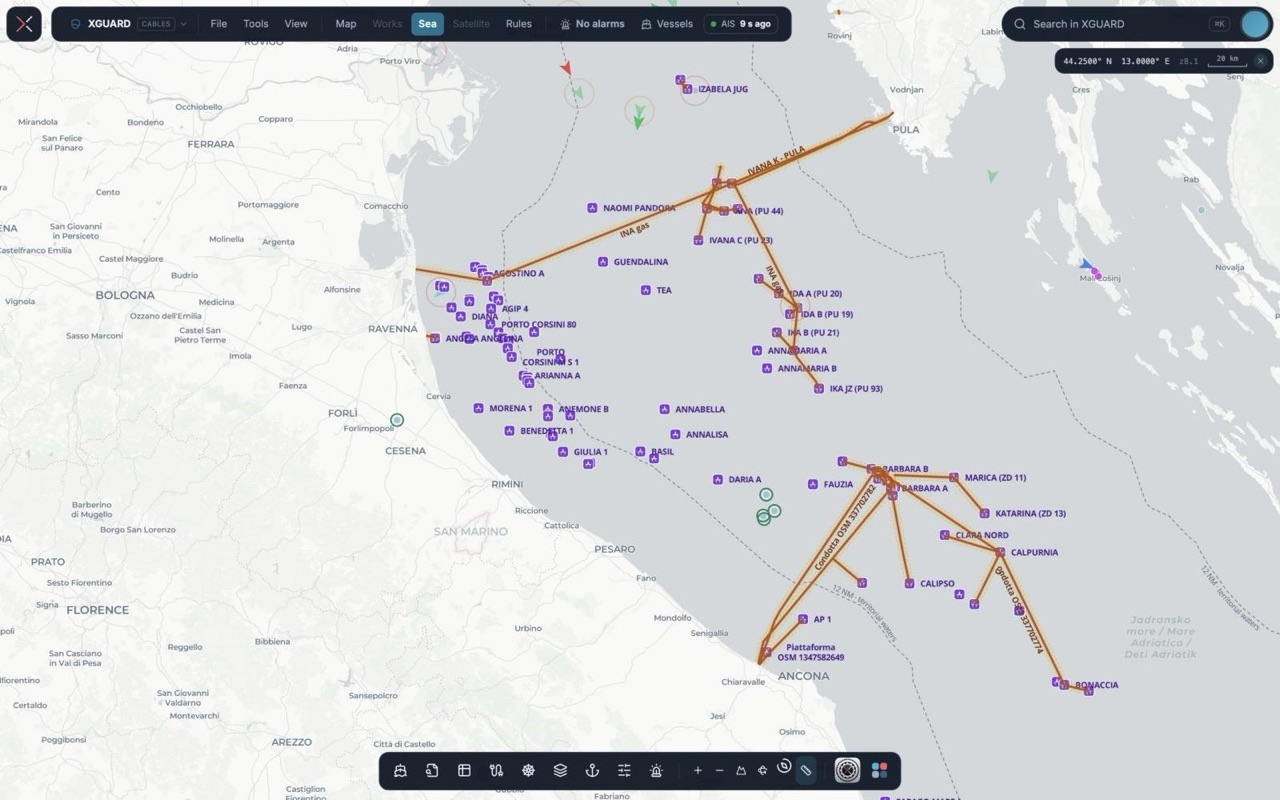
XGUARD watches subsea cables and pipelines with live AIS: trawling, dragging anchors and AIS switched off become explained alarms, with evidence that holds up with insurers and authorities. It is built for subsea cable operators, oil & gas and offshore energy companies, and security operations centres.
Features
- Live vessels around your corridors, with type, registry data, speed profile and track replay
- Explainable alarms: trawling index, anchor dragging, slowdown over the cable, AIS switched off, entry into the zones
- Risk per kilometre of cable, anchorages in front of landings and third-party works projected onto the route
- «Who was above it?»: given the fault kilometre and a time window, the vessels that passed within the radius
- Evidence packages with chained SHA-256 fingerprints, downloadable as JSON and KML
- Reports to the authorities prepared by the platform, and consortium cables shared among several owners
How to use
- In Cables and zones load the cable routes (KML or GeoJSON) and define the zones
- Set your organisation's rules and thresholds
- Follow vessels and alarms on the map and open the «Why is it alarming» card
- Take charge of the alarm, close it with an outcome and download the evidence package
Talk to usParla con noi
Tell us your use case: we'll tell you which XPACKs to switch on and how to start inside NEXT Fusion.Raccontaci il caso d'uso: ti diciamo quali XPACK accendere e come partire dentro NEXT Fusion.