DCIM Connector
DCIM connector
Switched on upon request for your organisation, inside NEXT Fusion.
TypeExtensionfor XCORE
FamilyFibre and infrastructureas in the launcher
WhereWeb · tabletinside NEXT Fusion
LanguagesIT · ENinterface and manual
LicenceOn requestper organisation
What it does
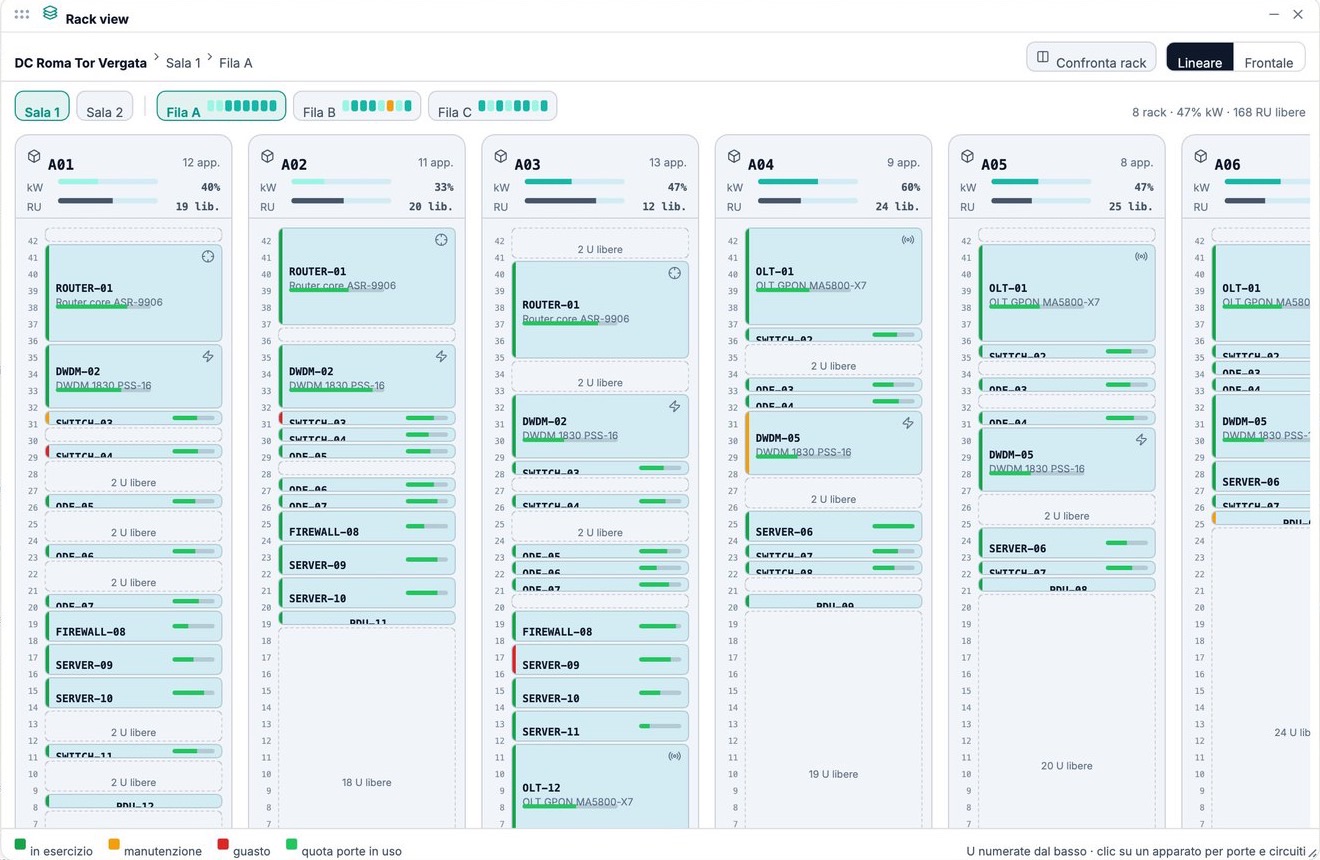
The DCIM Connector links XCORE to the customer's DCIM inventory: sites, rooms, racks, devices and links stay aligned with the system of record, which remains the master of what is inside the rooms. XCORE reads and never writes.
Features
- Connection to the DCIM instance with a read-only account and an encrypted password
- Connection test and periodic or on-demand synchronisation, with a run log
- Sites with coordinates appear on the map at once, the others in a list to georeference
- Device ports read live; every screen states the age of the data
- Field-by-field differences between two consecutive synchronisations
How to use
- In XCORE open Source and sync and enter the address and account of the DCIM instance
- Test the connection and run the first synchronisation
- Georeference the sites without coordinates
- Follow the run log and the changes from one synchronisation to the next
Works with
Information
Publisherarimas
Version1.0.0
RequiresXCORE
PermitsRead data
Talk to usParla con noi
Tell us your use case: we'll tell you which XPACKs to switch on and how to start inside NEXT Fusion.Raccontaci il caso d'uso: ti diciamo quali XPACK accendere e come partire dentro NEXT Fusion.