XPLAY › Operations and data › XPULSE
XPULSE
SLA and QoS monitoring
Switched on upon request for your organisation, inside NEXT Fusion.
TypeEnvironment1 extension
FamilyOperations and dataas in the launcher
WhereWeb · tabletinside NEXT Fusion
LanguagesIT · ENinterface and manual
LicenceOn requestper organisation
What it does
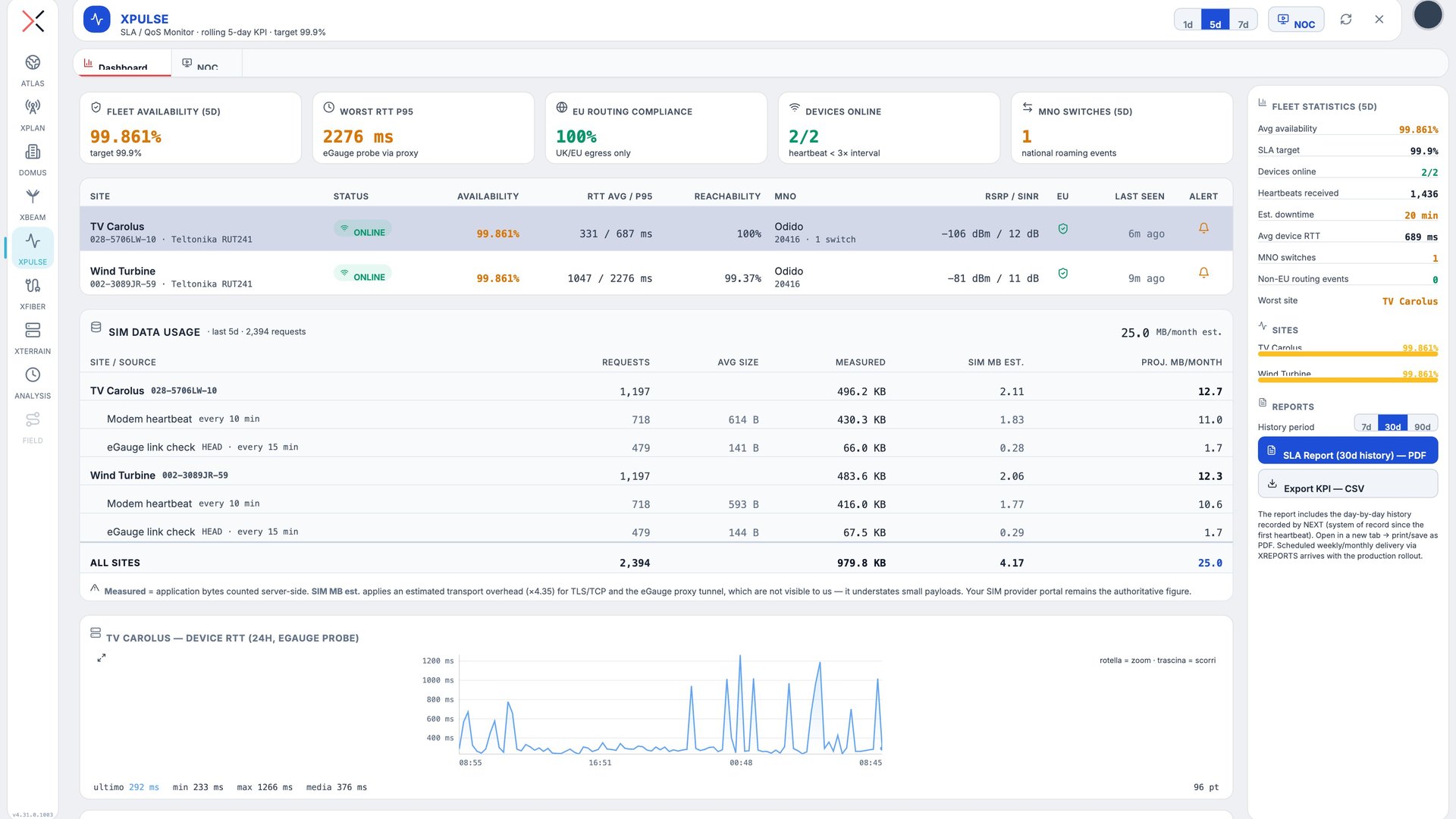
XPULSE watches remote sites and IoT fleets connected over mobile networks: device heartbeats, HTTP probes, availability and round-trip times against the SLA, SIM data usage. It is built for utilities, service providers and NOCs who want to prove the SLA with measured figures.
Features
- Fleet dashboard over 1, 5 or 7-day windows: availability against target, RTT, devices online, operator switches
- One point per site on the map, coloured by status, with a mini dashboard on click
- Data usage per SIM and per source, with the monthly projection
- Per-device alert rules with e-mail notification
- PDF SLA reports with daily history and CSV export of the KPIs
- Composable NOC views and a read-only API for an external NOC
How to use
- Configure routers and devices to send their heartbeat to the platform
- Open XPULSE and follow availability, RTT and status of every site
- Set the alert rules and the recipients
- Download the SLA report or connect your NOC with an API key
Extensions and data
Information
Publisherarimas
Version1.0.0
RequiresATLAS
PermitsRead data
Talk to usParla con noi
Tell us your use case: we'll tell you which XPACKs to switch on and how to start inside NEXT Fusion.Raccontaci il caso d'uso: ti diciamo quali XPACK accendere e come partire dentro NEXT Fusion.