XPLAY › Mobile network › XASSURE
XASSURE
Automated assurance
Switched on upon request for your organisation, inside NEXT Fusion.
TypeEnvironment2 extensions
FamilyMobile networkas in the launcher
WhereWeb · tabletinside NEXT Fusion
LanguagesIT · ENinterface and manual
LicenceOn requestper organisation


What it does
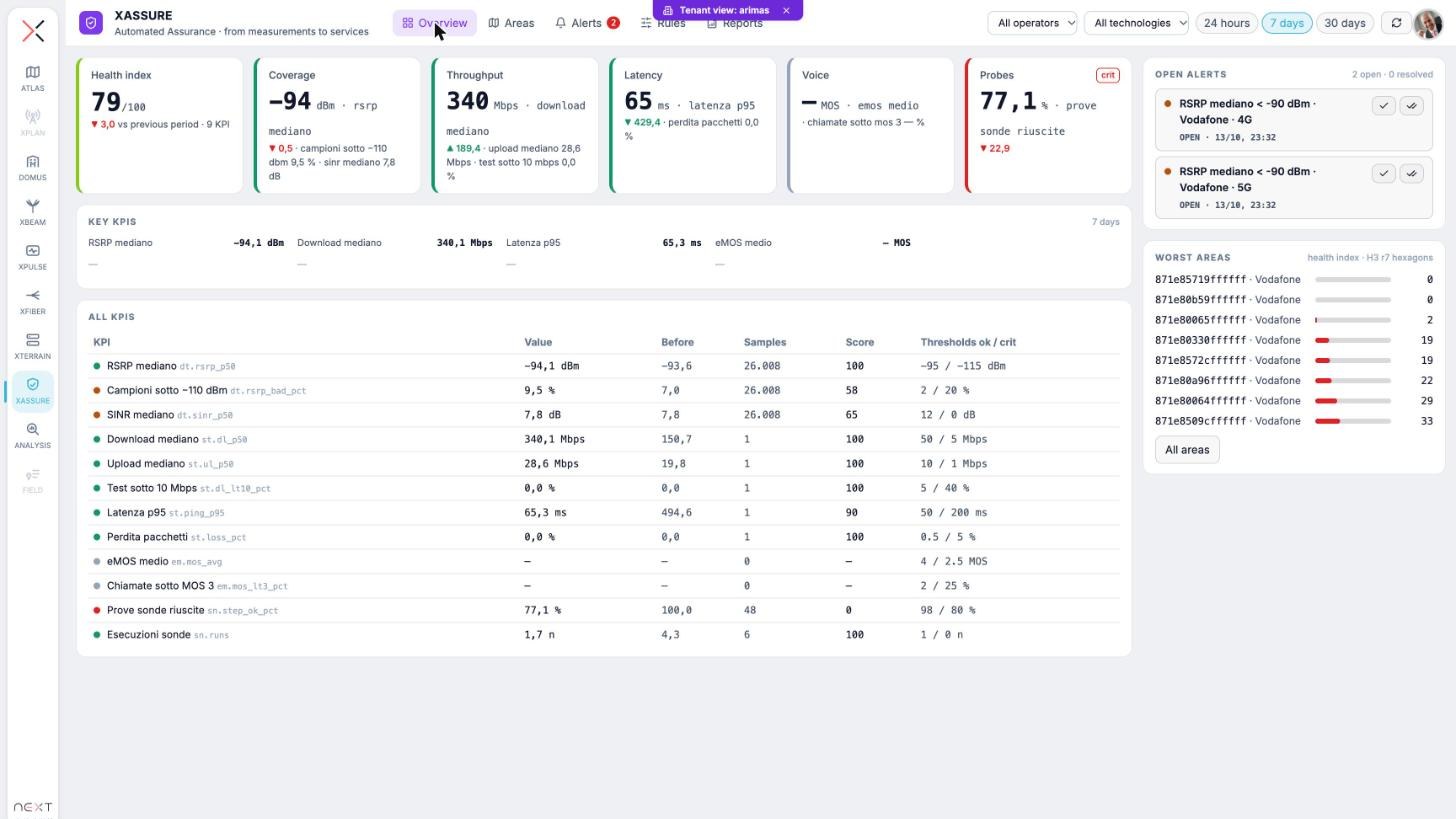
XASSURE turns measurements and network counters into services, KPIs and health: hourly KPIs per service, area and operator, an explainable health index, rules and alerts with acknowledgement. It runs with a profile, Mobile for radio measurements or Carrier for the transport network, and works on the data the platform already collects.
Features
- Services defined by operators, technologies, areas and fleets, with KPIs and health computed for each
- KPI catalogue with unit, source, aggregation and thresholds; hourly series per service, operator, technology and H3 hexagon
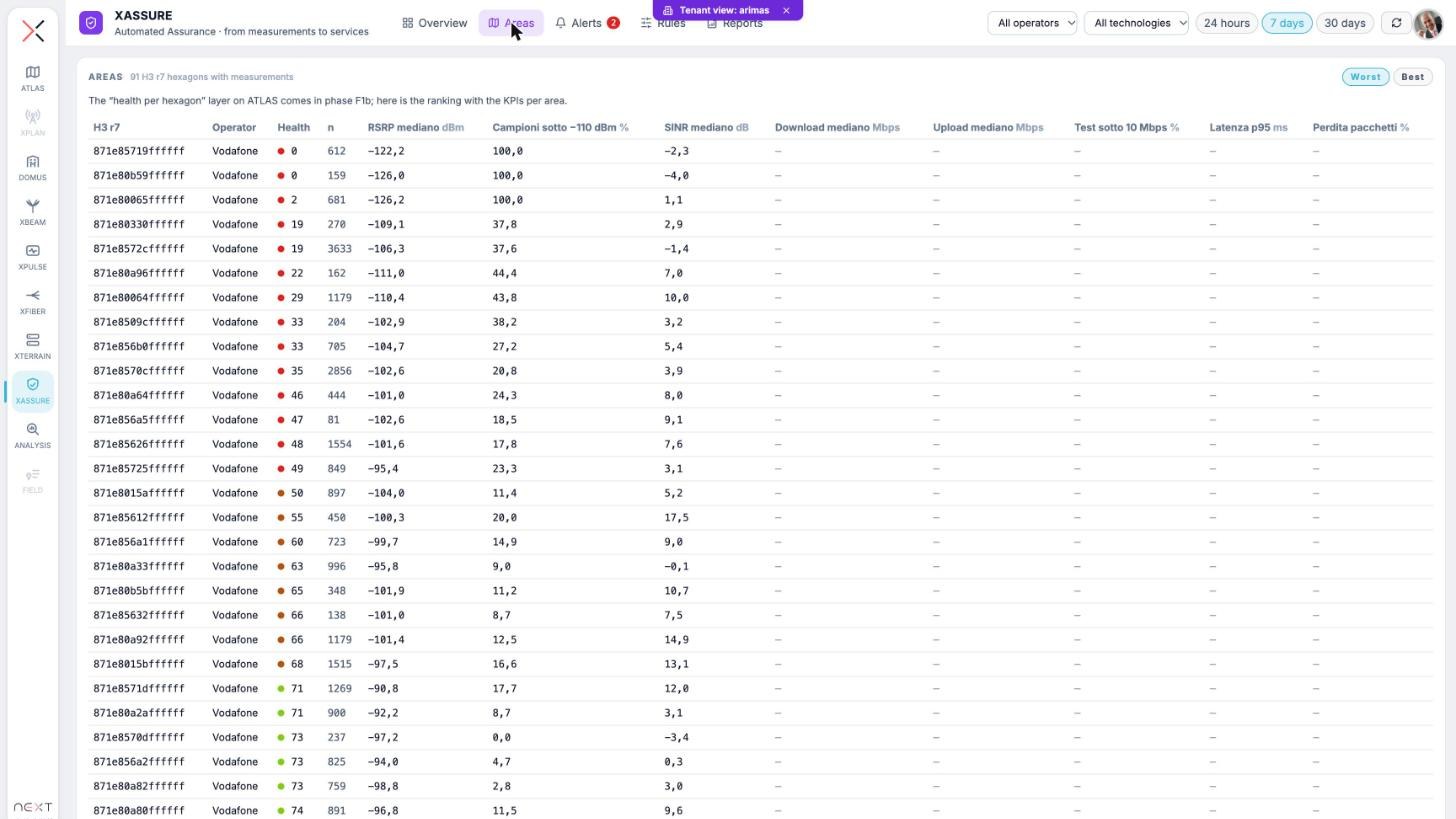
- 0–100 health index with the contribution of each KPI: a red cell always says why
- Rules with threshold, window, minimum samples and severity; alerts to acknowledge, annotate and resolve
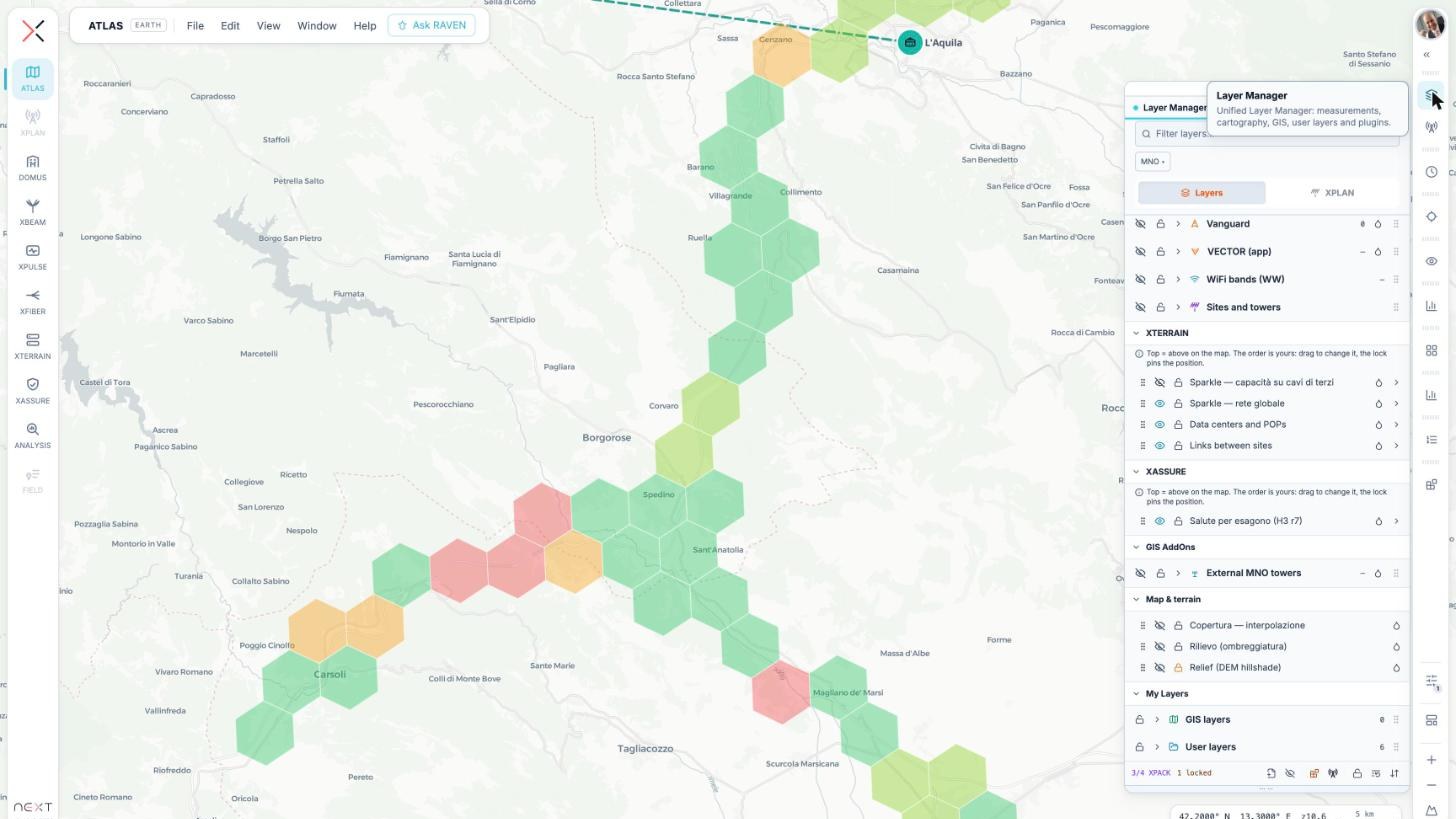
- Health per H3 hexagon on the ATLAS map, with the XASSURE group in the Layer Manager
- PM counters from 3GPP XML or CSV loaded through XFLOW
How to use
- Activate XASSURE with the Mobile or Carrier profile
- Define the services to watch and choose the KPIs
- Write the rules with thresholds, windows and minimum samples
- Follow the overview, open alerts and worst areas, and drill down to the map
Extensions and data
Works with
Information
Publisherarimas
Version0.4.0
RequiresATLAS
PermitsRead data, Edit data
Talk to usParla con noi
Tell us your use case: we'll tell you which XPACKs to switch on and how to start inside NEXT Fusion.Raccontaci il caso d'uso: ti diciamo quali XPACK accendere e come partire dentro NEXT Fusion.