XPLAY › Mobile network › XPLAN
XPLAN
Cell Planner 4G/5G
Switched on upon request for your organisation, inside NEXT Fusion.
TypeEnvironment4 extensions
FamilyMobile networkas in the launcher
WhereWeb · tabletinside NEXT Fusion
LanguagesIT · ENinterface and manual
LicenceOn requestper organisation
What it does
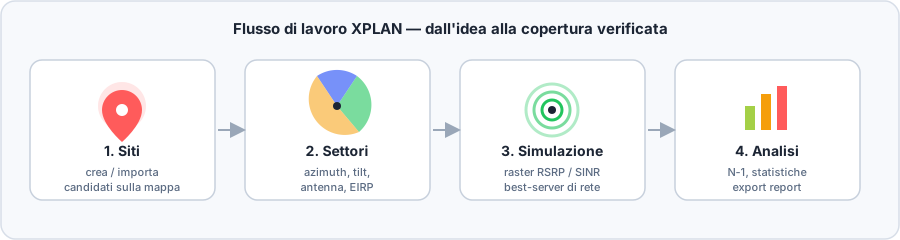
XPLAN is the NEXT radio planning studio: from the terrain to the 4G and 5G site plan, in the browser and next to your field measurements. It is built for the RF teams of operators, tower companies and integrators who want to design, verify and recalibrate the network in a single environment.
Features
- Terrain data in one click: elevation model, land use (clutter) and building heights, including your own GeoTIFFs
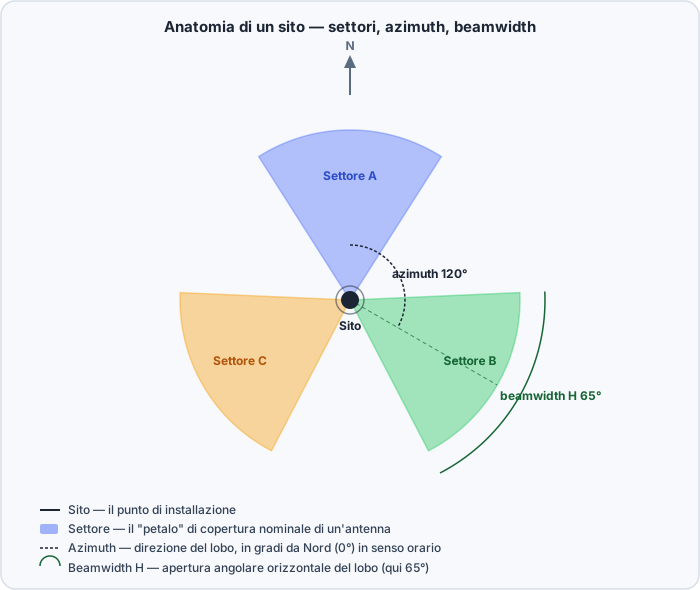
- Sites and sectors on the map with azimuth, tilt, power and real antennas from manufacturers' MSI files or from XBEAM
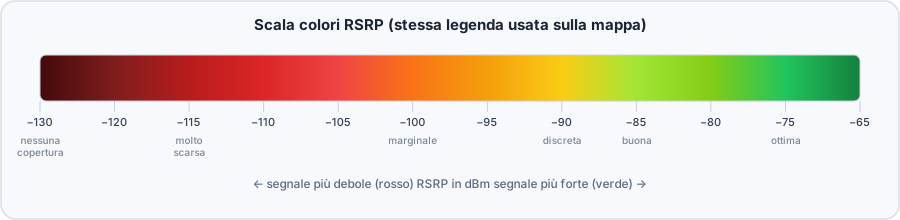
- Propagation engine with 3GPP, Hata, calibratable SPM and ITU-R P.1812 models, with diffraction and clutter: RSRP, SINR, throughput and uplink coverage
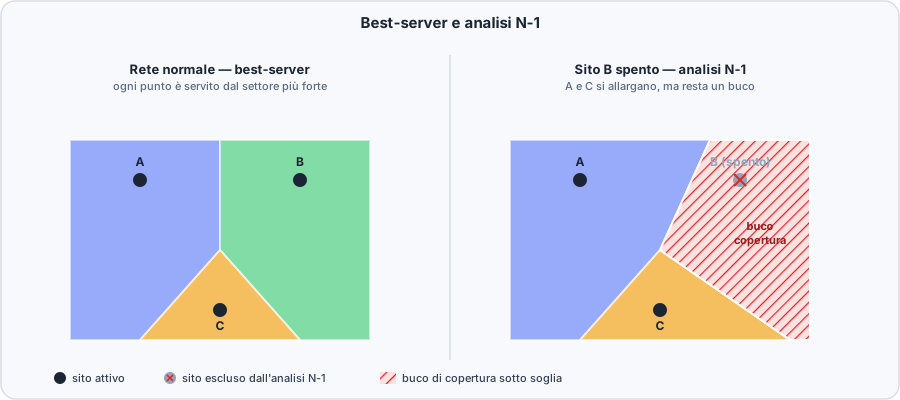
- Network analysis: best server, N-1 redundancy, overlapping zones, Monte Carlo capacity, PCI and neighbours
- Calibration on the platform's drive tests: measured versus predicted, tuned model and downloadable report
- Automatic planning, XLINK microwave links and an exportable project package in GeoTIFF, KMZ, CSV, Excel and PDF
How to use
- Open XPLAN from the launcher and create a project over your area of interest
- Load the terrain data and place the sites, by hand or by importing KMZ, KML or CSV
- Configure sectors and antennas, choose the propagation model and run the simulation
- Read coverage, best server and N-1 on the map, then calibrate the model on field measurements
- Export the project or share it with your team
Extensions and data
Coverage InterpolationCoverage estimated across a whole area from field measurements: hexagons computed with IDW, a smoothed surface or the nearest measurement.Discover
Fresnel ToolFresnel ellipsoid and line-of-sight analysis for point-to-point radio links, on the terrain model.Discover
Works with
Information
Publisherarimas
Version2.1.0
RequiresATLAS
PermitsRead data, Edit data
Talk to usParla con noi
Tell us your use case: we'll tell you which XPACKs to switch on and how to start inside NEXT Fusion.Raccontaci il caso d'uso: ti diciamo quali XPACK accendere e come partire dentro NEXT Fusion.